Baseball & softball
Develop every player. Bring the team together.
Workouts, Baseball IQ plays and progress that follows each player from season to season, plus the schedule, roster and game day.
Baseball IQ
Runner on first. Ground ball to short. Where do you go?
You’re playing second base. Tap your spot.

A plan for every player between games.
Short workouts at home, game situations drawn on a field, and a progress profile that follows each player from one season to the next.
Pick any play
Every play from Training, from any position. No sign-up.
- Try a living-room workout
- Open sample scoreboard No app needed
Watch the right-center cutoff (short)
Watch on YouTubeWorkouts at home
Short drills a player can do in the backyard. Families see what's next, and coaches see who got their work in.
Sample player
Progress and Highlights
Stats, finished workouts and coach check-ins build one profile per player. Families keep it season after season.
Know who’s coming, and where to be.
Every game and practice shows the time, the field and who’s going, so you know before you set the lineup. When a game moves, families see what changed. Invite them with one team code, and bring your roster from a spreadsheet or a photo.
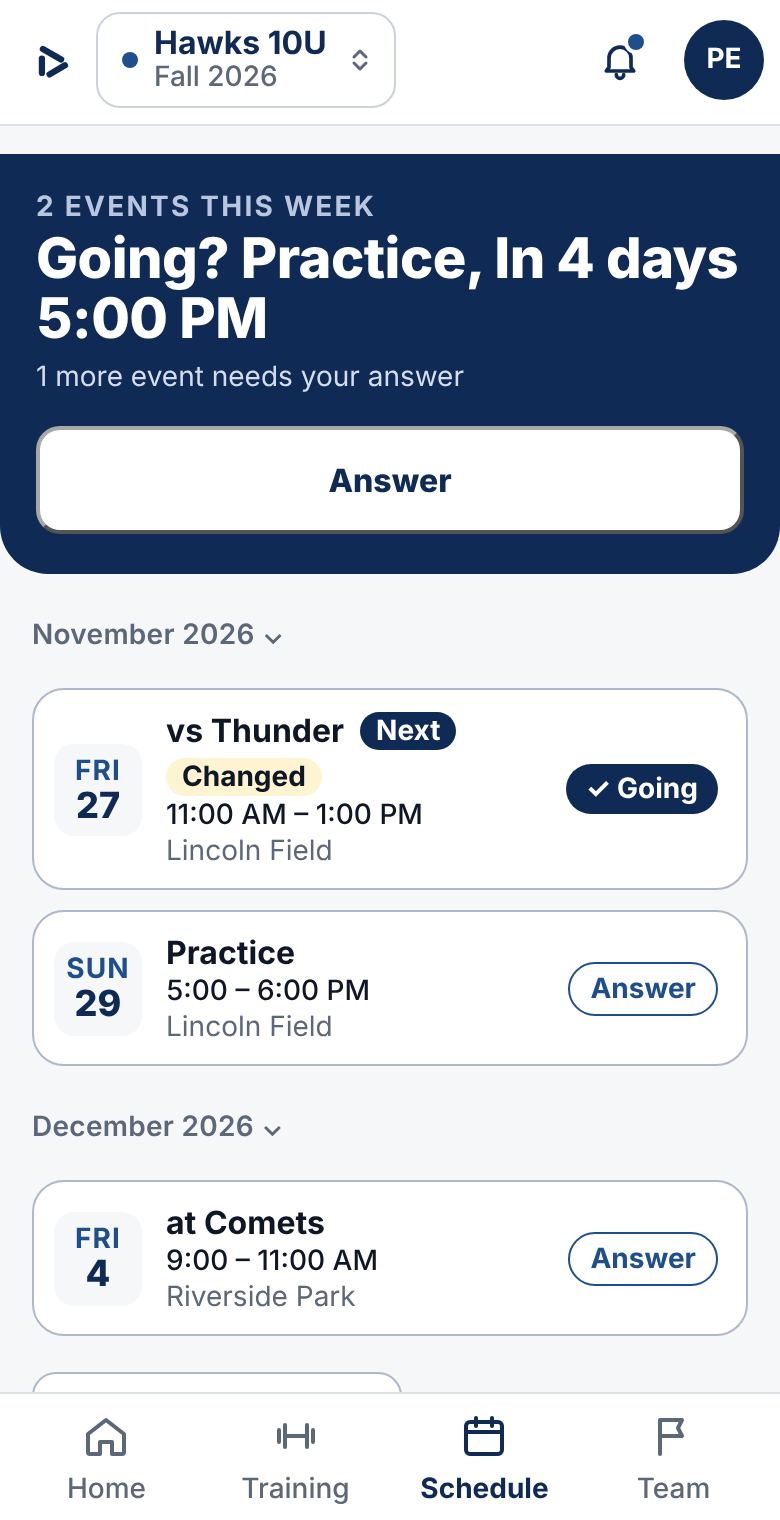
Sample game
Score by touch or voice.
Tap Ball, Called strike, Swinging strike or Foul. Where voice scoring is available, say the call out loud. Game stats go straight into each player’s progress.
The lineup and pitch counts sit on the same screen, and pitch rules follow your league’s setting. Coaching tonight? Send another parent a one-game scorekeeper link. Families follow the score and every play from one link.
Dues, tournaments and leagues.
The jobs that fill a coach's week and a parent's inbox.
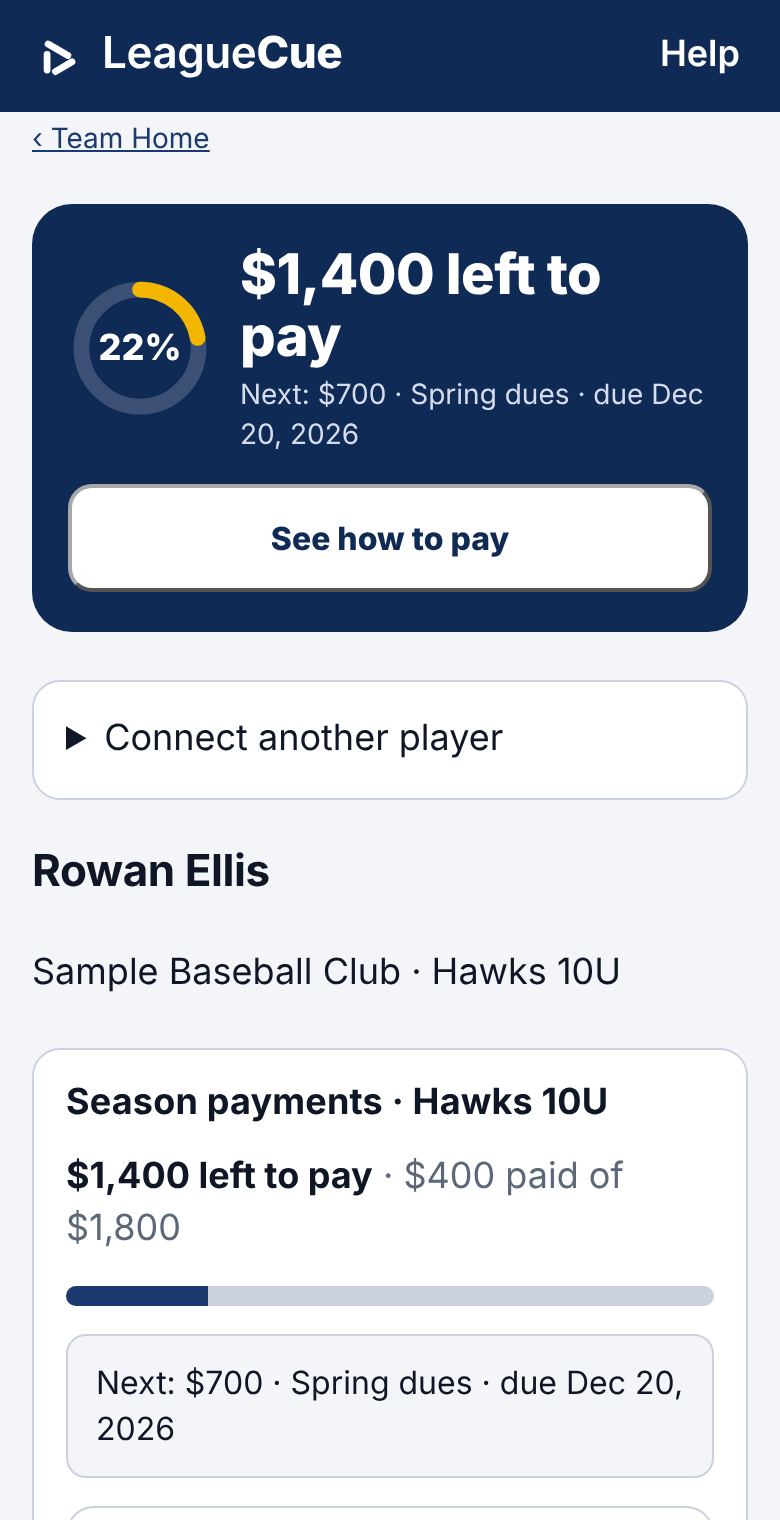
Simple payments
Families see what they owe and when. Checks, Venmo and card payments all get marked paid.
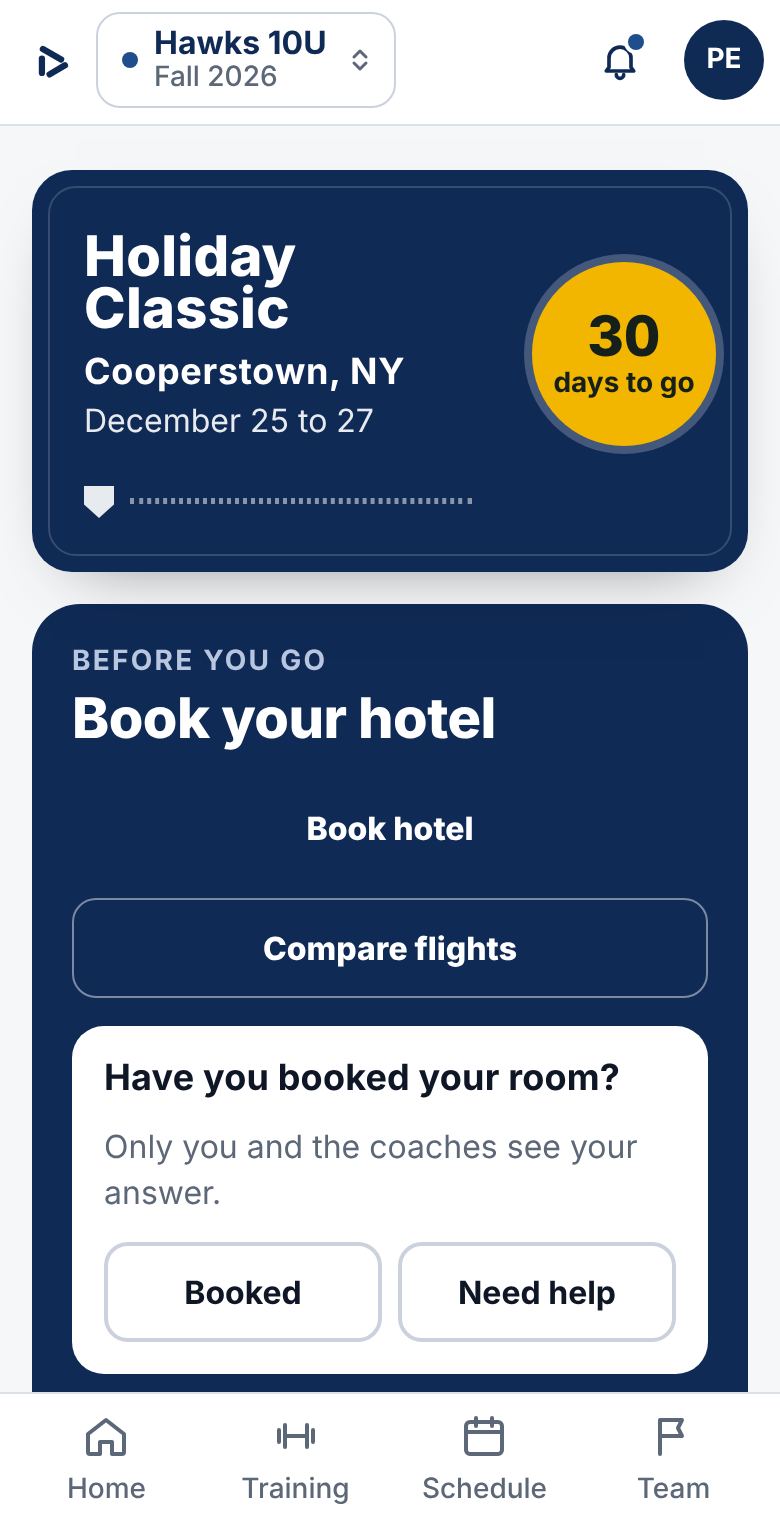
Tournament weekends
Dates, the field and the hotel link sit on the tournament’s own page. Families tell you when they’ve booked, and you see who still needs help.
Scores roll into league standings, and pitch counts follow your league’s rules. Bring your schedule from GameChanger, TeamSnap or SportsEngine with a calendar link. Contact details stay with your coaches, and parents choose who sees their child’s name and stats.
For whoever collects dues and signs the team up for tournaments.
Club Office keeps every team’s dues, tournament bills, uniforms and tryouts in one back office, apart from the baseball screens. Set up your club
Questions coaches ask
Do parents have to download an app?
No. LeagueCue works in any phone's web browser. Families who want an app can get it for iPhone on the App Store or for Android on Google Play. Either way, they tap your link or enter your team code.
We already use another app. How hard is it to switch?
Add players from a spreadsheet or a photo of your roster, and bring in your schedule from a calendar link, including the ones GameChanger, TeamSnap and SportsEngine give out. Most teams are set up in a few minutes.
Is it only for scoring?
No. Scoring is one part. LeagueCue starts with player development: workouts, Baseball IQ and progress that carries from season to season, plus the schedule and team tools.
Is my players' information safe?
Family contact details are only seen by your coaches. Parents choose who sees their child's name and stats, and for players 12 and under the public scoreboard shows first names only. Children never have accounts. See the privacy notice.
What if there's no signal at the field?
Scoring pitches in a game you already opened and tryout ratings work with no signal. They're saved on the phone and sent when signal comes back. Open your team once before you get to the field.
Who makes LeagueCue?
LeagueCue is made by KiddoCue LLC, on the web and in the iPhone and Android apps. Questions? See Help or email support@leaguecue.com.
Set up your team before the first practice.
Set up your team in a few minutes, or join the one your coach invited you to.